Inspections
Connect field observations, findings, and decisions
 Drone Works IQRequest a Demo
Engineering Asset Chronicle
DroneWorksIQ connects observations, decisions, and change into a durable chronology - integrated with source systems your teams already trust.
Connect field observations, findings, and decisions
Bring location intelligence and reality data into shared context.
Preserve an evolving, observation-linked view of critical assets.
Surface review-ready signals while keeping people accountable.
Support governed access, custody, and defensible information flow.
See the current condition, accepted record, responsible parties, and open findings.
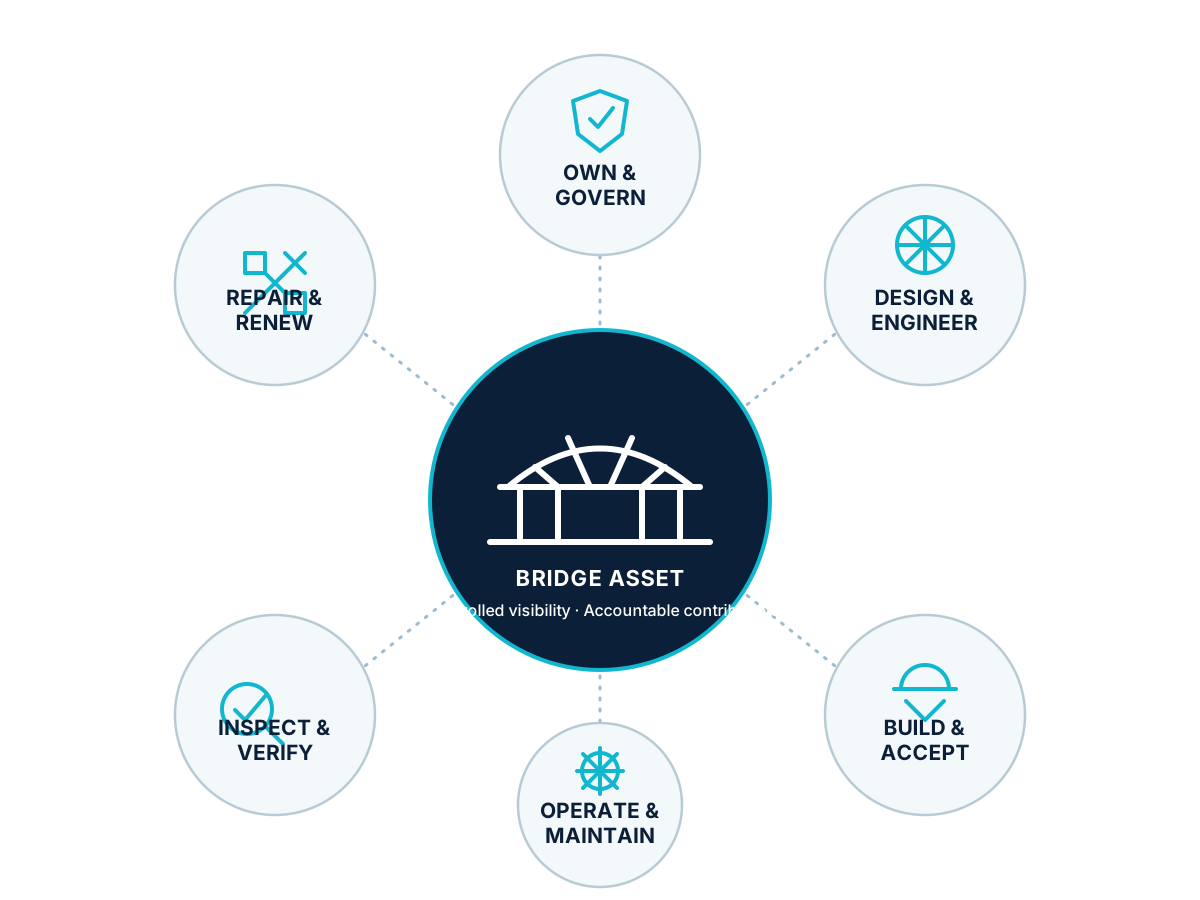
Follow design, approvals, construction, inspection, maintenance, repair, and renewal.
Surface unresolved findings with the observations and decision history needed to act.
One asset. Accountable collaboration.
Give each authorized stakeholder the right visibility—and a clear responsibility to contribute—without forcing every participant into the same system or exposing the entire record.
One asset. Every stakeholder. One trusted chronology.
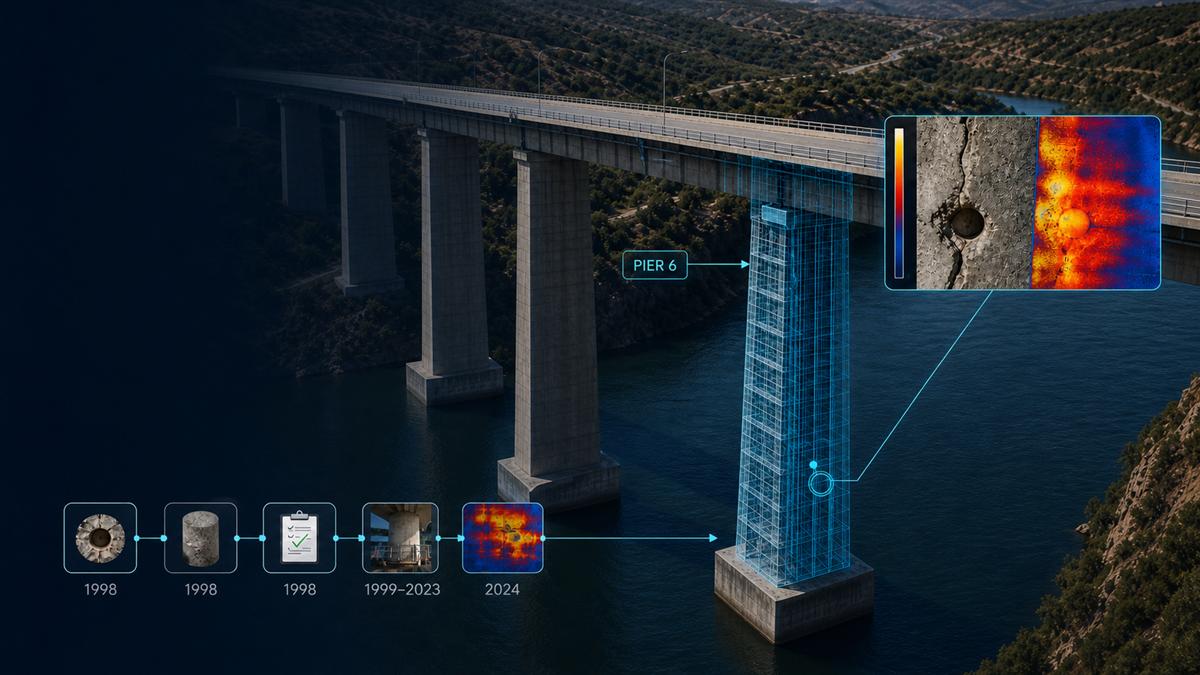
Product Preview · Illustrative Data
Trace one bridge component from its original core sample and engineer acceptance through decades of inspection observations to today’s subsurface moisture finding.
One asset. One continuous record.
Connected by design · Product Preview
Source identity, timestamps, versions, transformations, and custody remain attached to every planned governed update.
Planned integrations are product direction only; no production connections are active.
All required examples
Aster Ridge Infrastructure Group · 1 program · 1 project · 1 item for review.
High Plains Asset Assurance 2026 → Red Mesa Solar Condition Review.
Aster Ridge / High Plains / Red Mesa · future workflow tools unavailable.
site-red-mesa · asset-inv-14 · Inverter Station INV-14.
Thermal and visual survey · Connector temperature variance · Review.
Red Mesa Orthomosaic · illustrative, not for navigation or measurement.
North Array Point Cloud · Preview metadata only.
Red Mesa Condition Summary · no generation, approval, export, or download.
dt-red-mesa-inv-14 · Preview capability · no live 3D engine.
Human review Required · confidence Not calculated.
Inspection review summary available · Not sent.
PREVIEW-104 · Example only · no ticket or chat system.
The asset remains. The people change. The systems change.
Presenter notes